

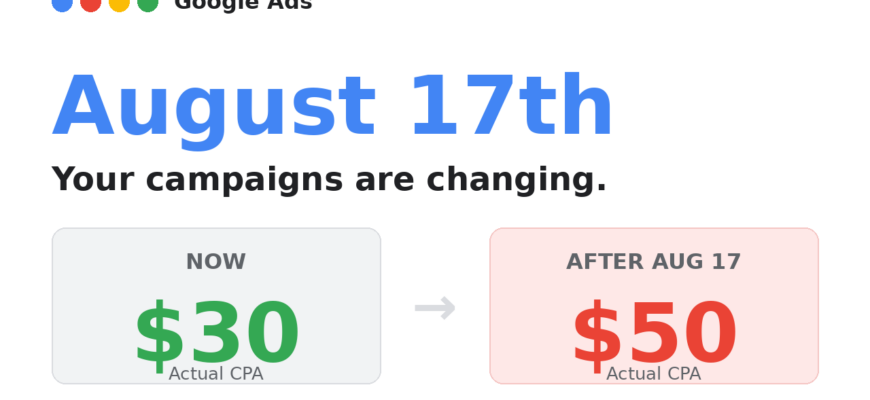
- What This Update Means in Simple Words
- What Is Changing on August 17th?
- Why Did Google Make This Change?
- Who Is Most at Risk?
- Small Business Owners Running Their Own Ads
- Any Campaign With These 3 Conditions
- Real Example: What Happens If You Do Nothing
- The 10-Minute Fix: What to Do Right Now
- Step 1 – Identify Affected Campaigns
- Step 2 – Choose One of These Three Actions
- Option A: Adjust your goal to match actual performance
- Option B: Increase your budget
- Option C: Do nothing
- What About Market-Wide Price Inflation?
- Summary: Your Action Checklist
- Frequently Asked Questions
What This Update Means in Simple Words
Right now, if you set a target CPA of $50 in Google Ads but your campaign is limited by budget, Google’s system often finds cheaper conversions – so you might actually be paying only $25 per conversion. That’s a hidden bonus.
After August 17th, that bonus is gone. Google will start bidding to hit exactly what you asked for – $50 – no more, no less. If you don’t update your settings, you’ll likely get fewer conversions for the same spend.
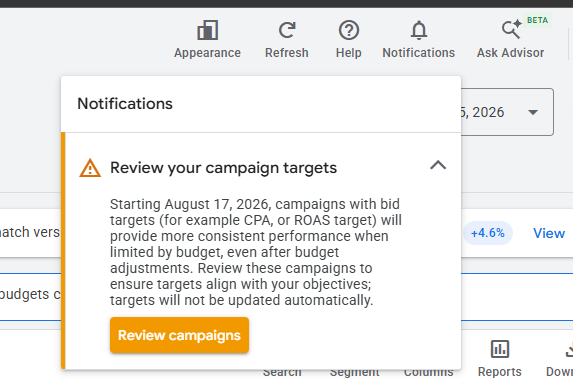
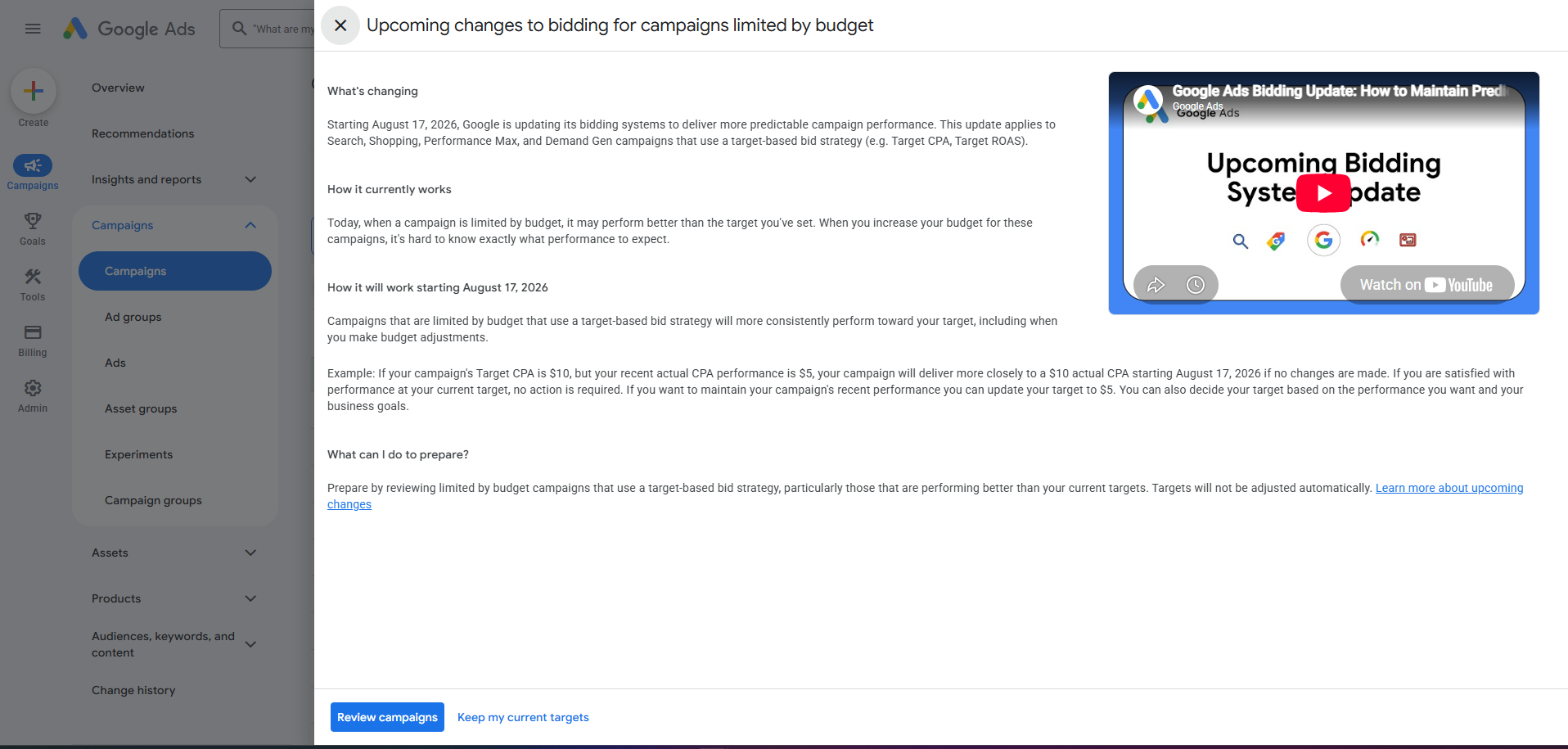
What Is Changing on August 17th?
Google Ads is updating how its bidding algorithm works for campaigns that are using Target CPA or Target ROAS bid strategies and are currently limited by budget.
| Before August 17th | After August 17th |
|---|---|
| Algorithm finds cheapest conversions within your budget | Algorithm bids to hit your exact target CPA/ROAS |
| You may get $5 CPA when target is $10 | You will get ~$10 CPA as set |
| Over-performance is common | Performance matches your stated goal |
| Scaling budget causes fluctuation | More predictable, stable results |
Which campaign types are affected? Search, Shopping, Performance Max, Demand Gen, and Display. App campaigns, Video Reach, and Video View campaigns are not affected.
Why Did Google Make This Change?
The old system created a frustrating pattern for many advertisers:
- Campaign over-performs while budget is tight (e.g., $5 CPA vs. $10 target)
- Advertiser increases budget to scale
- Performance suddenly worsens and CPA climbs
- Advertiser panics and doesn’t know why
Google says this change brings stability and predictability – what you ask for is what you get, so scaling becomes easier to manage. That said, many advertisers believe this will also increase Google’s revenue, since campaigns will enter more competitive and expensive auctions to hit stated targets.
Who Is Most at Risk?
Small Business Owners Running Their Own Ads
If you’re not actively monitoring your Google Ads account or watching industry updates, you may not even know this change is happening. After August 17th, campaigns in the affected scenario will quietly start delivering fewer conversions at higher costs – without any alerts or warnings.
Any Campaign With These 3 Conditions
- Target CPA or Target ROAS is set
- Campaign status shows Limited by budget
- Actual recent performance outperforms the set target
Real Example: What Happens If You Do Nothing
| Setting | Value |
|---|---|
| Target ROAS | 200% |
| Actual ROAS (last 30 days) | 350% |
| Budget status | Limited by budget |
Before August 17th: The campaign finds the most efficient conversions and achieves 350% ROAS.
After August 17th (if nothing changes): Google bids more aggressively to spend up to your budget while targeting exactly 200% ROAS – meaning fewer, more expensive conversions. The 350% performance disappears.
The 10-Minute Fix: What to Do Right Now
Step 1 – Identify Affected Campaigns
In your Google Ads account, look for campaigns that show:
- Limited by budget status
- A Target CPA or Target ROAS goal set
- Recent performance that beats the target (lower CPA or higher ROAS than set)
Step 2 – Choose One of These Three Actions
Option A: Adjust your goal to match actual performance
If your campaign targets $50 CPA but has been delivering $30 CPA, update the target to $30. Move gradually – for example $50 → $40 → $35 → $30 over several weeks.
Option B: Increase your budget
If you’re happy with your current target, increase the daily budget so the campaign is no longer limited. After August 17th, you’ll maintain your target CPA with more conversion volume.
Option C: Do nothing
Your CPA will likely rise to match your stated target and you’ll get fewer conversions. Only acceptable if you genuinely need the stability and your target reflects what you’re willing to pay.
What About Market-Wide Price Inflation?
If all competitors in a market do nothing after August 17th, everyone’s CPA drifts toward their stated target – meaning fewer conversions all around. The one advertiser who increases their budget or raises their target gains a competitive edge, wins more clicks, and takes conversion volume from the rest. This ripple effect is why many experts expect price inflation in local and niche markets after this change.
Summary: Your Action Checklist
- Log into your Google Ads account
- Filter campaigns with “Limited by budget” status
- Check if any use Target CPA or Target ROAS bidding
- Compare the target vs. actual performance (last 30 days)
- If actual performance is better than target: update the target OR increase the budget
- Make changes before August 17th
- If adjusting targets, do it gradually – one step per week


